













Kingmaker Casino Australia — Player Area and Login 24/7
How to Log In to Your Kingmaker Casino Account
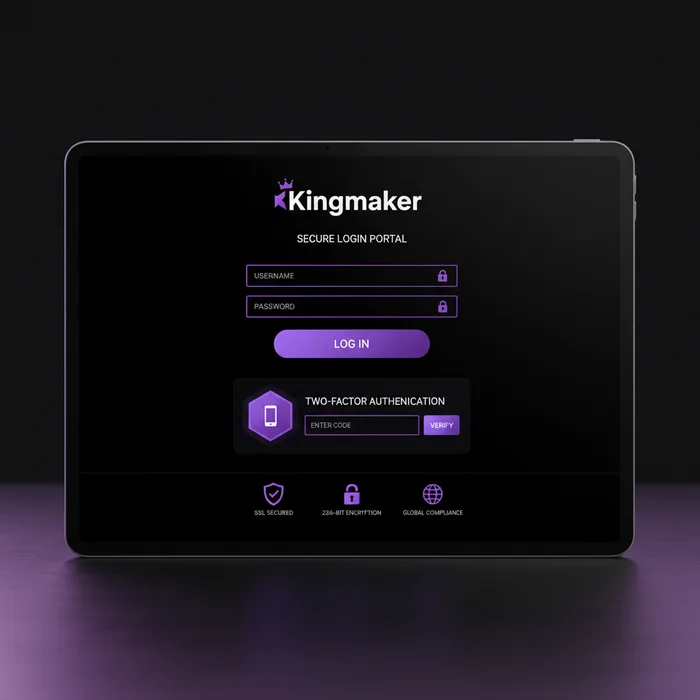
Kingmaker Casino provides a secure login process with password recovery and two-factor authentication for players.
Whether you're coming back to claim a cashback reward or jumping straight into a session, the dashboard greets you with a real-time snapshot of where things stand. No big deal, but that kind of instant visibility — balance, bonus progress, recent game history — makes a genuine difference when you're managing your play across multiple sessions.
Finding the Login Button and Entering Your Credentials
Head to thekingmakercasino.com and you'll spot the Login button sitting in the top-right corner of the header — it stays fixed there on both desktop and mobile, so there's no hunting around. Tap or click it and a clean overlay form appears asking for your registered email address and password.
Type in your credentials, hit the confirm button, and you're through. If you've enabled two-factor authentication (which we strongly recommend), you'll get a one-time code sent to your registered device — enter that and the door opens fully. The whole sequence from clicking Login to reaching your dashboard typically takes under 45 seconds.
Staying Logged In Safely on Personal Devices
We offer a "Remember Me" option on the login form — ticking this keeps your session active across browser restarts on the same device. This is genuinely convenient on a personal laptop or phone you control exclusively. The cool thing is, it doesn't store your actual password anywhere in the browser; it uses a secure session token that expires after a set idle period.
On shared devices — a family computer, a hotel lobby tablet, a friend's phone — skip the Remember Me option entirely and log out manually when you're done. One session left open on a shared device is the most common way accounts get accessed without permission. We've made the logout button prominent in the account menu for exactly this reason.
Troubleshooting Login Problems: Forgotten Password and Locked Accounts
Login issues fall into a handful of predictable categories, and most resolve in under 10 minutes if you follow the right path. The biggest mistake players make — and we see it regularly — is attempting to register a new account instead of recovering the existing one. That creates duplicate account flags on our system and complicates things significantly.
How to Reset Your Kingmaker Casino Password via Email
On the login page, click "Forgot Password" directly below the password field. You'll be prompted to enter the email address linked to your Kingmaker Casino account. Submit it, and a reset link lands in your inbox — typically within 2–5 minutes, though busy periods can push this to 10 minutes.
- Enter your registered email on the password reset screen and click Send.
- Check your inbox — and your spam/junk folder if nothing arrives within 5 minutes.
- Click the reset link in the email (it's valid for 60 minutes — after that, request a new one).
- Choose a new password: minimum 8 characters, mixing uppercase, lowercase, numbers, and at least one symbol.
If the reset email genuinely doesn't arrive after 10 minutes and spam checks come up empty, the email address you entered may differ from your registered one. Contact our support team via live chat with your username or the approximate registration date and we'll locate the account manually.
What to Do When Your Account Access Is Blocked
After 5 consecutive failed login attempts, our system applies a temporary lock on the account for 30 minutes. This is an automated security measure — it protects against brute-force attempts on your credentials. You don't need to contact us during this cooldown; simply wait out the 30-minute window and try again with the correct password.
If your account is suspended for a different reason — KYC verification pending, inactivity over an extended period, or a terms review — the login screen will display a specific message explaining the status. In these cases, reach out via live chat or email and our team typically responds within 24 hours with next steps. KYC-related suspensions resolve fastest when you have your ID documents ready to upload immediately.
Lost access to your 2FA device? That's a slightly longer process — typically 24–48 hours — because we need to verify your identity through alternative means before removing the 2FA requirement. Have your account email, registered name, and ideally a copy of your ID ready when you contact support.
Securing Your Kingmaker Casino Account After Every Login
Account security isn't a one-time setup — it's something that benefits from a quick check every few sessions. We've built several layers of protection into the platform, but the most effective ones require you to switch them on and keep them active. Here's what we recommend and why each setting matters specifically for your Kingmaker Casino account.
Recommended Security Settings for Your Profile
Two-factor authentication is the single most impactful setting you can enable. Even if someone obtains your Kingmaker Casino password through a data breach on an unrelated site (password reuse is still extremely common), 2FA means they still can't get in without your physical device. Enable it under Account Settings → Security in your dashboard — it takes about 90 seconds to set up via an authenticator app.
Beyond 2FA, set a deposit limit from your account panel. This isn't just a responsible gambling tool — it's also a financial safeguard. If your account were ever accessed without your knowledge, a deposit limit caps the damage immediately. We also recommend reviewing your active session list periodically; any unfamiliar device or location showing an active session should trigger an immediate password change.
Recognizing Suspicious Login Activity and Reporting It
We send an automatic email notification whenever your account is accessed from a new device or an unrecognized IP location. If you receive one of these and you didn't initiate the login, change your password immediately and contact our live chat team — don't wait. Early reporting means we can freeze the session before any transactions occur.
Phishing attempts targeting casino players typically arrive as emails claiming your account needs urgent verification, often with a link to a convincing-looking fake login page. Our team will never ask for your password via email. Any communication requesting credentials should be treated as suspicious and reported to us directly.
| Login Method | Availability | Security Level |
|---|---|---|
| Email + Password | All devices | Standard |
| Email + Password + 2FA | All devices | High |
| Mobile browser (saved credentials) | Mobile only | Medium |
| Biometric (fingerprint/face ID via app) | Kingmaker app only | High |
| One-tap session resume (Remember Me) | Desktop + mobile browser | Medium (personal devices only) |
Accessing Your Balance, Bonuses, and Game History After Login
Once you're past the Kingmaker Casino sign in screen, the dashboard does a lot of the work for you. Your real-money balance, bonus balance, and any pending cashback are displayed in the header bar at all times — no need to dig into sub-menus to check where you stand. Below that, the platform surfaces your most recently played games and any active promotions tied to your account.
The minimum deposit to unlock bonus eligibility is €20, and the welcome offer runs at 100% match up to €500 plus 50 free spins on Royal Fortune Wheel. That's worth understanding in full before your first deposit — especially the wagering math, which we break down clearly in the next subsection.
Navigating the Dashboard to Check Active Bonus Crab Rewards
The Bonus Crab feature is one of the more distinctive things we've built — it's a real-money prize mechanic that activates during eligible game sessions and drops rewards directly into your account. After logging in, you'll see your Bonus Crab status in the Promotions tab of your dashboard. Active crabs, collected prizes, and upcoming opportunities are all listed there with timestamps.
The cool thing about how we've structured this is that Bonus Crab prizes land as real money, not bonus funds — so there's no separate wagering requirement attached to what the crab drops. Check the Promotions tab after each session to see what's accumulated. Prizes that go unclaimed for 7 days are forfeited, so it's worth making this part of your post-session routine.
For context on the welcome bonus wagering: a 35x requirement on both the bonus and your deposit means a €20 deposit with a €20 bonus requires €1,400 in total wagering before withdrawal. On the maximum €500 bonus with a €500 deposit, that's €35,000 in wagering. Free spin winnings carry a 40x requirement — so 50 spins producing €10 in winnings means €400 in wagering before those funds are withdrawable. We show this math in your bonus tracker inside the dashboard so you always know exactly where you stand.
Reviewing Cashback and Promotion Status from Your Account Panel
Cashback rewards are tracked automatically and visible from your Account Panel under the Promotions section. The panel shows the current cashback percentage applied to your account tier, the qualifying loss period, and the exact amount calculated for the current cycle. No manual claiming required in most cases — we credit cashback directly on schedule.
For players depositing via Visa, Neteller, Skrill, or Bitcoin — all four methods we support — your deposit history and associated bonus activations are logged in the Transaction History section. Crypto deposits via Bitcoin typically confirm within 10–60 minutes depending on network congestion, while e-wallet deposits via Neteller and Skrill are instant. Withdrawals via e-wallets process in the 0–24 hour window, which sits above the industry average for speed. Visa withdrawals take longer due to card network processing — typically 1–5 business days.
Frequently Asked Questions
How do I log in to my Kingmaker account at thekingmakercasino.com?
To log in to your Kingmaker account, visit thekingmakercasino.com and click the login button in the top right corner of the homepage. Enter the email address and password you used when registering, then click confirm to access your account and browse over 8000 games. If you have two-factor authentication enabled, you will also need to enter the verification code sent to your device before access is granted.
I forgot my Kingmaker password — how do I recover access to my account?
On the Kingmaker login page at thekingmakercasino.com, click the "Forgot Password" link located below the password field. Enter the email address associated with your account and a password reset link will be sent to your inbox, typically within a few minutes. Once you reset your password, you can log back in and continue using features like the Bonus Crab prize feature and regular cashback offers without any interruption to your account balance.
Does Kingmaker offer two-factor authentication to protect my login?
Yes, Kingmaker supports two-factor authentication to add an extra layer of security to your account login. Once enabled through your account security settings, you will be required to enter a one-time verification code each time you sign in at thekingmakercasino.com. This is especially recommended if you store payment methods such as Visa, Neteller, Skrill, or Bitcoin on your account for quick deposits.
Why is my Kingmaker account locked and how do I get back in?
Your Kingmaker account may be temporarily locked after multiple failed login attempts as a security precaution to protect your funds and personal data. To regain access, you should contact the Kingmaker support team via live chat or email through thekingmakercasino.com, and the team will verify your identity and restore access. Having your registered email address and deposit method details such as your Bitcoin wallet or Skrill account ready can help speed up the verification process.
Can I log in to Kingmaker on mobile and will my account work the same way?
Yes, thekingmakercasino.com is fully accessible on mobile browsers, and your login credentials work identically on desktop and mobile devices. Once logged in on mobile, you have full access to all 8000 games, your active bonuses including the 100% welcome match up to €500 plus 50 free spins on Royal Fortune Wheel, and your withdrawal options with e-wallet processing times of 0 to 24 hours. Simply navigate to the site in your mobile browser, tap the login button, and enter your email and password to get started.