













Kingmaker Casino App: iOS / Android Download Guide
Kingmaker Casino Mobile Experience: Browser App vs Dedicated Download
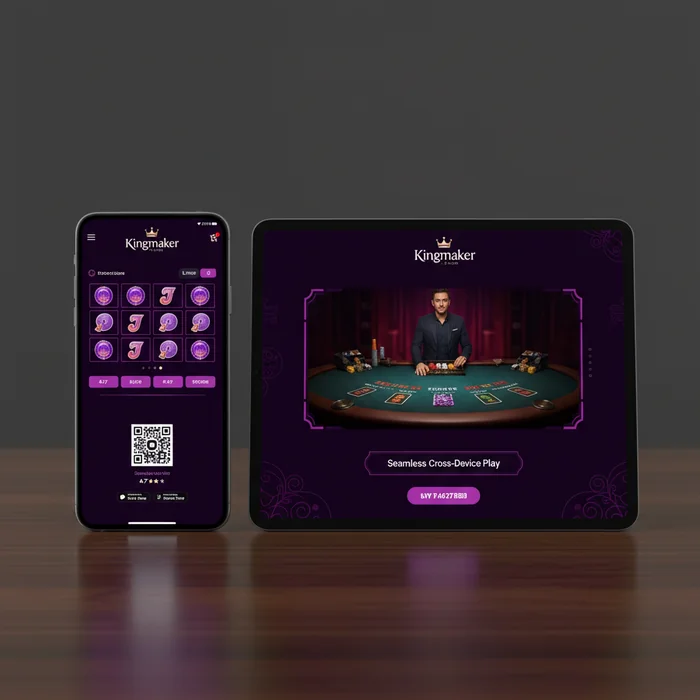
Kingmaker Casino works on mobile devices via an adapted browser interface for iOS and Android — no native app required.
We've built the mobile experience around instant access. No download required, no APK files to sideload, no storage space eaten up on your device. You open your browser, navigate to the site, and you're playing within seconds. For players who just want to jump in without the friction of a traditional app install, this approach genuinely works.
How to Access Kingmaker Casino Instantly from a Mobile Browser
Getting started on mobile takes about 30 seconds flat. Open Chrome, Safari, or Firefox on your phone, type in thekingmakercasino.com, and the site automatically detects your device and loads the mobile-optimized layout. No redirects, no prompting you to download anything — it just works.
The cool thing is you can add the site to your home screen as a shortcut, which behaves almost identically to a native app icon. On iOS, tap the Share button in Safari and select "Add to Home Screen." On Android, Chrome will often prompt you automatically, or you can do it manually through the browser menu. Either way, you get a one-tap launch that looks and feels like an app without the overhead.
One honest note: because this is browser-based, you'll need a stable internet connection at all times. There's no offline mode, no cached gameplay. If your connection drops mid-spin, the game pauses. That's a real limitation worth knowing upfront, and it's one area where a native app would technically have an edge.
Whether a Dedicated iOS or Android App Is Available
Right now, there is no dedicated Kingmaker Casino iOS app on the Apple App Store, and no Kingmaker Casino Android app on Google Play. This is a deliberate choice on our part — maintaining a browser-first experience means we can push updates instantly without waiting for app store approval cycles, and players always have the latest version automatically.
For players in markets where Google Play does list gambling apps (availability varies by country and regional settings), the browser route actually sidesteps those restrictions entirely. You're not dependent on whether your region's Play Store allows casino apps. Just open the browser and go.
If you're looking for a Kingmaker download option, the closest thing is that home screen shortcut — it's genuinely the recommended approach and what our mobile team has optimized the platform around.
Mobile Game Selection: Accessing All 8000 Titles on Small Screens
Eight thousand games. That's the full library available through the mobile browser, and it's not a trimmed-down mobile subset — it's the complete catalog. We haven't split the experience into "mobile games" and "desktop games." Whatever's on the full site loads on your phone.
| Feature | Mobile | Desktop | Winner |
|---|---|---|---|
| Total games available | 8,000 | 8,000 | Tie |
| Live casino access | Full access | Full access | Tie |
| Loading speed | Optimized for 4G/5G | Typically faster on broadband | Desktop (slightly) |
| Bonus availability | All offers available | All offers available | Tie |
| Payment methods | Visa, Neteller, Skrill, Bitcoin | Visa, Neteller, Skrill, Bitcoin | Tie |
| Multi-tabling | Limited (small screen) | Easy with multiple windows | Desktop |
| Push notifications | Via browser alerts | Not available | Mobile |
| Screen quality for live games | Sharp but smaller | Larger display | Desktop (for live) |
Slots and Live Casino Games Optimized for Mobile Play
Slot games translate particularly well to portrait mode on a phone screen. The reels resize cleanly, spin buttons are large enough to tap accurately, and autoplay controls are accessible without zooming in. Games from providers like Pragmatic Play and BGaming are especially well-suited to the mobile layout.
Live casino is where mobile gets genuinely interesting — and also where you'll notice the screen size trade-off most. Blackjack and roulette tables stream clearly on a modern smartphone, but if you're used to watching multiple camera angles simultaneously on a 27-inch monitor, the phone screen will feel more focused. For a single live table session, though, mobile works well. The Bonus Crab feature — one of our signature real money prize mechanics — is fully accessible on mobile, and it's honestly one of those features that's fun to check on during a quick lunch break.
When desktop genuinely wins: long live casino sessions, multi-table poker, or anything where you want to see the full dealer interface without scrolling. No big deal for casual sessions, but worth knowing if you're a serious live casino player.
Performance and Loading Speeds on Mobile Devices
On a 4G or 5G connection, game loading is fast — most slots are ready within 3–5 seconds of tapping. Live casino streams take slightly longer to buffer initially, typically 5–8 seconds, which is on par with industry standard for browser-based live streaming. On slower 3G connections, expect some stuttering in live video feeds.
Data usage is a real consideration. A one-hour live casino session can consume 300–500MB of mobile data. Slots are much lighter — roughly 20–40MB per hour. If you're on a limited data plan, sticking to slots on mobile and saving live casino for WiFi is genuinely practical advice, not just a disclaimer.
Battery drain is moderate. The browser keeps the screen on and runs continuous video for live games, so expect your phone to warm up during extended sessions. Plugging in or keeping a charger nearby for anything over 90 minutes is just sensible.
Making Deposits via Bitcoin, Skrill, and Neteller on Mobile
All four deposit methods — Visa, Neteller, Skrill, and Bitcoin — work through the mobile browser without any functionality loss compared to desktop. The deposit flow is touch-optimized: large input fields, clear confirmation screens, and no fiddly dropdown menus that require precise clicking.
Bitcoin deposits on mobile are genuinely convenient if you're using a crypto wallet app like Trust Wallet or Coinbase. The QR code scan feature means you don't have to manually type a wallet address on a phone keyboard — just scan and confirm. Crypto deposits typically reflect in your Kingmaker Casino account within 10–30 minutes depending on network congestion, which is standard for the industry.
One honest limitation: Visa deposits on mobile occasionally trigger additional 3D Secure authentication steps that require switching to your banking app. This adds 30–60 seconds to the process but is a security feature, not a platform flaw. E-wallets like Skrill and Neteller bypass this entirely, which is why we'd suggest them as the primary mobile deposit method.
How to Deposit the €20 Minimum Using a Smartphone
The minimum deposit is €20. Here's exactly how the mobile deposit flow works using Skrill as the example:
- Log into your account via the mobile browser at thekingmakercasino.com — or tap your home screen shortcut if you've set one up.
- Tap the account icon (top right), then select "Deposit." The cashier page loads in the same browser window — no popups that get blocked.
- Select Skrill from the payment method list, enter your deposit amount (minimum €20), and tap "Proceed." You'll be redirected to Skrill's secure mobile page.
- Confirm the payment in Skrill — if you have the Skrill app installed, it may open automatically for one-tap approval. Funds appear in your Kingmaker Casino balance immediately.
If you're claiming the welcome bonus — 100% match up to €500 plus 50 free spins on Royal Fortune Wheel — the math on wagering is worth understanding before you deposit. A €500 bonus means €17,500 in total wagering required (35x on both bonus and deposit combined: 35 × €500 = €17,500). Free spin winnings carry a 40x wagering requirement. These are standard industry terms, but they're real numbers you should factor in.
One important transparency note: Kingmaker Casino does not currently hold a license from a recognized gambling authority. This means there is no local regulatory body overseeing your deposits or providing formal dispute resolution. Players should factor this into their decision — it's a genuine limitation, and we believe you deserve to know it clearly rather than find it buried in the terms. If regulatory oversight is a priority for you, this casino may not be the right fit.
Mobile Support and Account Management on the Go
Managing your account from a phone — checking balances, claiming bonuses, reviewing cashback status — is fully functional through the mobile browser. The account dashboard resizes cleanly to mobile, and the navigation menu collapses into a hamburger-style layout that's easy to use with one thumb.
Using Live Chat and Email Support from a Mobile Device
Live chat is available directly through the mobile browser. The chat widget sits in the bottom corner of the screen and expands into a full conversation window when tapped. Response times vary, but during peak hours you can typically expect a reply within 2–5 minutes. The chat interface is fully usable on a phone keyboard — no desktop required.
Email support is the alternative contact channel. You can submit a support request via the Contact page, which loads cleanly on mobile. Email responses typically take longer than live chat — anywhere from a few hours to 24 hours depending on query complexity. For urgent issues like a stuck withdrawal, live chat is clearly the faster route.
One honest gap: there's no dedicated phone support line or callback option. If you prefer voice-based support, that's not available here. The platform relies entirely on live chat and email, which covers most needs but isn't for everyone.
Managing Bonuses and Checking Cashback Status via Mobile
The bonus page is fully accessible on mobile, and checking your current wagering progress is straightforward — it's displayed in your account dashboard with a progress bar showing how much of the requirement you've completed. For the welcome bonus with its 35x wagering requirement, this tracker is genuinely useful for knowing where you stand without doing the math manually.
Regular cashback is one of Kingmaker Casino's ongoing features, and the cashback status page loads cleanly on mobile. You can see your eligible cashback amount, the calculation period, and when it will be credited — all from your phone. The Bonus Crab feature, which awards real money prizes through a separate mechanic, also appears in the promotions section and is claimable directly from mobile.
New players can complete the full signup process on mobile — the registration form is touch-friendly, and document verification (if required) can be handled by uploading photos directly from your phone's camera. The whole onboarding flow from registration to first deposit can realistically be completed in under 10 minutes on a smartphone.
- Open thekingmakercasino.com in your mobile browser and add it to your home screen for one-tap access.
- Complete registration and make your first deposit of at least €20 via Skrill, Neteller, Bitcoin, or Visa.
- Check the bonus page to activate your welcome offer, then use the dashboard to track wagering progress from your phone.